
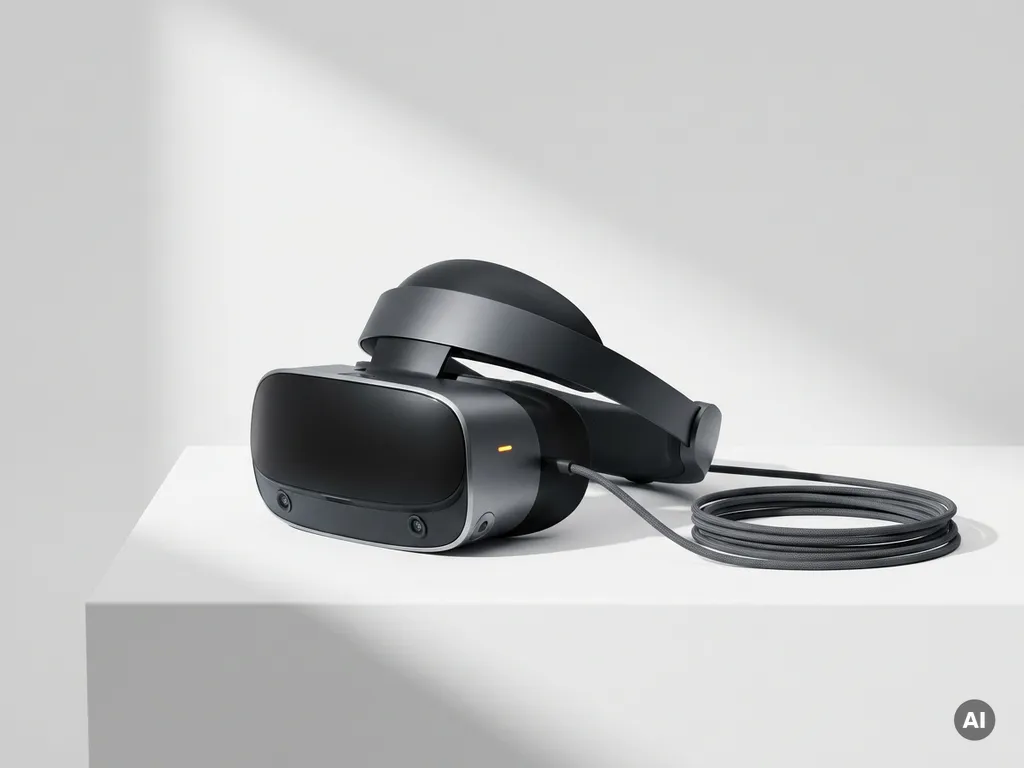
A VR system is made up of several interconnected hardware and software components that work together to create a believable, interactive virtual environment. At its core, every virtual reality system includes a headset, tracking technology, input devices, and the software that ties them all together. Understanding how these VR system components interact helps you make smarter decisions, whether you are evaluating VR for education, brand experiences, or immersive installations.
What hardware makes up a VR system?
The hardware of a virtual reality system consists of a head-mounted display (HMD), motion tracking sensors, input controllers, and a computing unit powerful enough to render immersive environments in real time. These VR hardware components form the physical foundation of any VR experience, and their quality directly determines how convincing and comfortable that experience feels.
Each hardware element serves a distinct purpose. The headset delivers the visual and audio experience, the tracking system monitors movement, the controllers capture user input, and the computing unit, whether a standalone processor built into the headset or an external PC, handles the heavy computational work of rendering virtual worlds frame by frame.
- Head-mounted display (HMD): The wearable screen system placed over the eyes
- Computing unit: Either an integrated processor (standalone headsets) or an external PC or console
- Tracking hardware: Cameras, sensors, or external base stations that monitor position and movement
- Input controllers: Handheld devices that translate physical gestures into virtual actions
- Audio system: Built-in or external headphones that deliver spatial, three-dimensional sound
In standalone headsets like the Meta Quest series, most of these components are integrated into a single device. In PC-tethered systems, the headset connects to a powerful desktop that handles rendering, while the headset focuses on display and tracking. The right hardware configuration depends on the complexity of the experience, the audience size, and the deployment environment.
How does a VR headset display images to each eye?
A VR headset displays images by rendering two slightly offset images, one for each eye, on high-resolution screens positioned directly in front of the eyes. Lenses between the screens and the eyes magnify and focus the images, creating the illusion of depth and three-dimensional space. This technique, called stereoscopic rendering, is the foundational mechanism behind how VR works visually.
The offset between the two images mimics the natural difference in perspective between your left and right eye, a phenomenon known as binocular disparity. Your brain fuses these two images into a single, unified perception of depth, the same process it uses to perceive the real world.
Display technology in modern VR headsets
Modern VR headsets use either LCD, OLED, or newer micro-OLED panels. OLED displays offer deeper blacks and higher contrast, which significantly enhances immersion. Micro-OLED panels, used in devices like the Apple Vision Pro, deliver exceptional pixel density in a compact form, reducing the “screen door effect,” the faint grid pattern visible on older, lower-resolution displays.
Field of view and refresh rate
Two other critical display factors are field of view (FOV) and refresh rate. A wider FOV, ideally above 100 degrees, reduces the sense of looking through a tunnel. A high refresh rate, typically 90Hz or above, minimizes motion blur and reduces the risk of motion sickness. Together, these specifications determine how natural and comfortable the visual experience feels over extended use.
What is tracking in VR and how does it work?
Tracking in VR is the process by which the system continuously monitors the position and orientation of the headset and controllers in physical space, translating real-world movement into corresponding movement inside the virtual environment. Without accurate tracking, the virtual world would not respond to the user’s motion, breaking the sense of presence entirely.
There are two primary tracking approaches used in modern VR hardware. Inside-out tracking uses cameras mounted on the headset itself to map the surrounding environment and calculate position, with no external hardware required. Outside-in tracking uses external base stations or sensors placed around the room to precisely monitor the headset and controllers from fixed reference points.
Inside-out tracking, now standard in most consumer headsets, offers greater portability and simpler setup. Outside-in tracking, historically used in high-end systems like the Valve Index, delivers marginally higher precision, an important consideration for professional training simulations or location-based VR experiences where accuracy is critical.
Six degrees of freedom (6DoF) tracking is the gold standard: it captures movement along all three spatial axes (forward/back, left/right, up/down) as well as rotation in all three orientations (pitch, yaw, roll). This full range of movement is what allows users to lean, crouch, and walk within a virtual space naturally.
What role does software play in a VR system?
VR software is the layer that creates, renders, and manages the virtual environment, translating hardware inputs into a coherent, interactive experience. Without software, the headset and controllers are inert devices. The software determines what the user sees, how the environment responds to their actions, and how the entire virtual reality system holds together in real time.
VR software operates across several layers. The rendering engine, commonly Unreal Engine or Unity, generates the three-dimensional visuals frame by frame. The operating system of the headset manages device resources and connectivity. Application software delivers the specific experience, whether that is a training simulation, an interactive story, or a brand activation.
Software also governs critical comfort features. Techniques like foveated rendering, which renders the area where the user is looking in full detail while reducing quality at the periphery, allow the system to maintain high frame rates without overwhelming the processor. Reprojection algorithms fill in frames when performance dips, smoothing the experience and reducing motion sickness risk.
At Rooftop Immersive, we build VR software in both Unreal Engine and Unity, selecting the right engine based on the visual fidelity, interactivity, and deployment requirements of each project.
How do input devices and controllers work in VR?
VR input devices and controllers work by detecting the physical movements, button presses, and gestures of the user and translating them into actions within the virtual environment. They serve as the user’s hands and agency inside the virtual world, and their responsiveness directly affects how natural and intuitive an experience feels.
Most VR controllers use a combination of inertial measurement units (IMUs), which detect rotation and acceleration, alongside optical tracking to determine their position in space. Haptic feedback motors inside the controllers deliver vibration responses that simulate the sensation of touching or interacting with virtual objects, adding a tactile layer to the experience.
Beyond traditional handheld controllers, VR input has expanded significantly. Hand tracking technology, now built into several leading headsets, uses cameras to detect finger positions and gestures directly, removing the need for physical controllers entirely. Eye tracking, available in premium devices, allows users to interact with virtual elements simply by looking at them and enables the foveated rendering techniques described above.
For location-based and group VR experiences, full-body tracking systems can monitor leg and torso movement, creating a more complete sense of embodiment. These setups are particularly powerful in educational and empathy-driven applications, where feeling physically present in another perspective is the entire point.
What are the minimum system requirements for running VR?
The minimum system requirements for running VR depend on the type of headset being used. Standalone headsets have their processing hardware built in and require no external computer. PC-based VR systems require a dedicated graphics card, sufficient RAM, a compatible processor, and a USB or DisplayPort connection to the headset. The specific requirements vary by headset model and the complexity of the VR software being run.
For PC-tethered VR, the graphics card is the most critical component. Rendering two high-resolution displays at 90 frames per second or above is computationally demanding, and an underpowered GPU will result in frame drops that cause discomfort. Most major headset manufacturers publish minimum and recommended GPU specifications for their platforms.
Other factors that influence system requirements include:
- RAM: At least 16GB is recommended for smooth multitasking between the VR application and system processes
- Processor: A modern multi-core CPU ensures the physics, AI, and game logic run without bottlenecking the GPU
- Storage speed: Fast SSD storage reduces load times and supports seamless asset streaming in large virtual environments
- USB and display connectivity: High-bandwidth ports are required for tethered headsets to transmit video and tracking data reliably
For enterprise and location-based deployments, such as the group VR experiences we design for events and educational institutions, system requirements scale with the number of simultaneous users and the visual complexity of the shared environment.
How do all VR components work together in real time?
All VR components work together in real time through a continuous feedback loop: the tracking system monitors position and movement, the computing unit renders the updated virtual environment based on that data, and the headset displays the result, all within milliseconds. This cycle repeats dozens of times per second, creating the seamless, responsive experience that makes virtual reality feel believable.
The speed of this loop is measured as latency, the delay between a user’s physical movement and the corresponding update on the display. Keeping motion-to-photon latency below 20 milliseconds is considered essential for comfort. Above that threshold, the disconnect between movement and visual response triggers disorientation and nausea.
Here is how the real-time pipeline flows:
- The tracking system detects head and controller movement
- Tracking data is sent to the computing unit
- The rendering engine recalculates the virtual scene from the new perspective
- The updated frames are sent to the headset displays
- The user sees the result and responds with new movement
- The cycle begins again, typically 72 to 120 times per second
Software optimization plays a crucial role in keeping this loop fast and stable. Techniques like asynchronous spacewarp predict where the user’s head will be between frames, filling gaps intelligently when the rendering pipeline cannot keep pace. The result is an experience that feels fluid even under computational pressure.
When all components are well-matched and properly optimized, the technology recedes into the background, and the experience itself takes over. That is the moment immersive technology becomes genuinely powerful: not when it impresses with its complexity, but when it disappears entirely and leaves only the story, the environment, and the human inside it. If you are exploring how VR technology could serve your organization, we would love to talk. Contact us to start the conversation.
Gerelateerde artikelen
- Can installation art be interactive?
- What does AR stand for in marketing?
- What exactly is experiential marketing?
- What are immersive experiences and how do they enhance user interaction?
- What are the four key concepts in immersive media?
- What is an immersive experience?
- Does immersive mean 3D?
- What are 360-degree experiences?
- What is immersive and interactive media?