
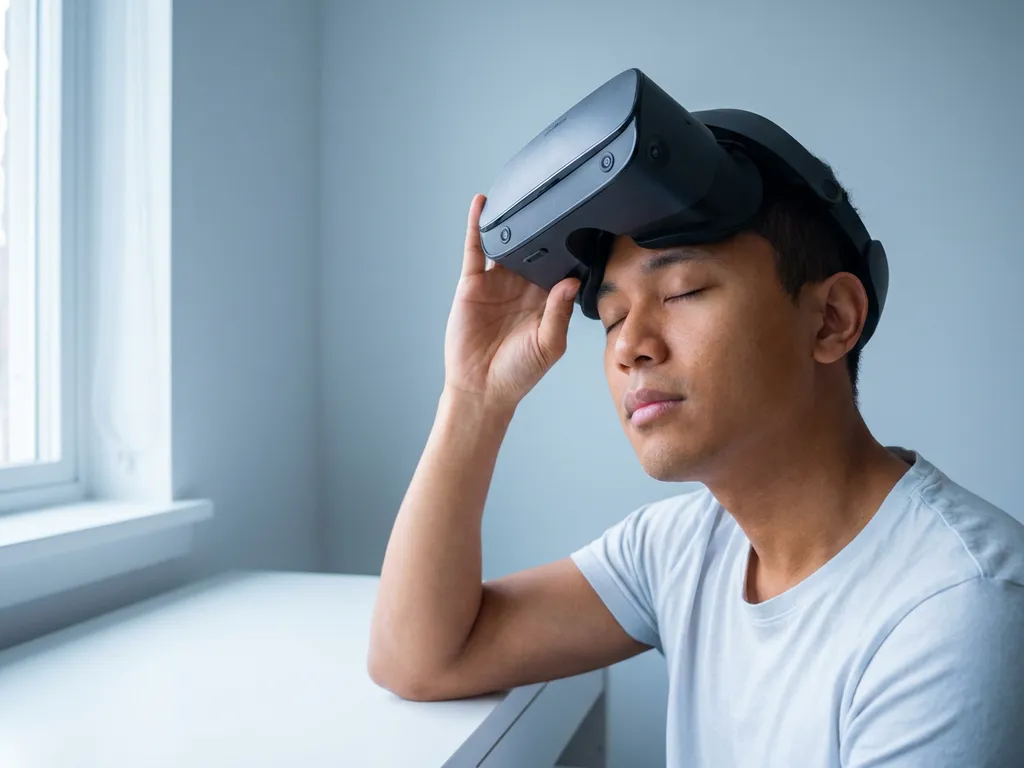
The 20-20-20 rule for VR means pausing every 20 minutes, looking at something 20 feet away for 20 seconds. Originally designed for flat-screen computer use, this guideline needs adaptation for VR headsets because the optical and physical demands of immersive headsets differ meaningfully from those of a monitor. The sections below address the most common questions around VR eye strain, safe session lengths, and how to protect your vision during extended immersive experiences.
Does the 20-20-20 rule actually work for VR headsets?
The 20-20-20 rule does help reduce eye strain during VR use, but it works differently than it does for flat screens. Because VR headsets create a fixed focal plane and block your view of the physical world entirely, the rule needs to be applied more frequently and with one critical addition: remove the headset entirely during each break rather than simply looking away.
The original rule was developed by optometrists to combat digital eye strain from monitors, where users can naturally glance away, blink normally, and shift focus with ease. VR headsets seal off that natural relief. Your eyes remain locked at a fixed focal distance determined by the lens optics, typically equivalent to a screen about two meters away, regardless of how far virtual objects appear to be. This means the relaxation benefit of looking at something 20 feet away only activates when the headset comes off and your eyes can focus on a real, distant object in the physical environment.
For casual VR sessions, applying the rule is a reasonable starting point. For deeper or longer immersive experiences, such as educational simulations, location-based VR installations, or extended training environments, a more adapted approach is worth building into the session design itself.
Why does VR cause eye strain differently than regular screens?
VR causes eye strain differently from regular screens primarily because of a phenomenon called vergence-accommodation conflict. On a flat monitor, your eyes converge on the screen and focus at the same distance simultaneously. In a VR headset, your eyes converge on virtual objects that appear to be at varying distances, but the lenses force your eyes to focus at a single fixed optical distance. This mismatch between where your eyes point and where they focus is the root cause of VR-specific visual discomfort.
Several additional factors compound this effect in ways that standard screen use does not:
- Reduced blink rate: Visually engaging environments cause people to blink less frequently, leading to dry, irritated eyes faster than a typical screen session would.
- Limited peripheral cues: The physical world offers constant, unconscious focal variation. VR removes that entirely, keeping your visual system in a sustained, unnatural state of attention.
- Lens distortion and chromatic aberration: Even high-quality headset lenses introduce subtle optical imperfections that the visual cortex must continuously compensate for, adding cognitive and muscular load.
- Motion-to-photon latency: When the virtual image does not update fast enough to match head movement, mild nausea and eye strain follow, even if the visual content itself is comfortable.
Understanding these mechanisms matters because it shifts the conversation from simply “how long is too long” to “how is the experience designed?” Well-crafted immersive experiences account for these factors at the production level, building in natural pause moments, reducing high-contrast visual noise, and designing comfortable field-of-view transitions.
How long should you use a VR headset without a break?
Most vision and health professionals recommend taking a break from a VR headset after no more than 20 to 30 minutes of continuous use for adults. This is shorter than the typical guidance for computer screens, reflecting the more demanding optical environment inside a headset. The break should involve removing the headset entirely, not simply pausing the content.
The appropriate session length varies depending on several factors:
- Content type: Slow-paced, seated experiences with minimal fast movement are less taxing than action-heavy or highly kinetic content.
- Individual sensitivity: Some people experience discomfort within minutes; others can tolerate longer sessions without noticeable symptoms.
- Headset quality: Higher refresh rates, better lens optics, and accurate interpupillary distance settings all reduce strain over time.
- Headset fit: A poorly fitted headset forces the eyes to compensate for misaligned optics, accelerating fatigue significantly.
- Session purpose: A guided educational VR module designed with intentional pacing is inherently less fatiguing than an open-ended game session of the same duration.
For professional or institutional VR deployments, such as training simulations, museum installations, or educational programs, session design should treat these limits as a structural constraint, not an afterthought. Building natural transitions, narrative pauses, and guided rest moments into the experience itself is far more effective than relying on users to self-regulate.
What is the adapted 20-20-20 rule for VR?
The adapted 20-20-20 rule for VR is: every 20 minutes, remove the headset and spend at least 20 seconds looking at something at least 20 feet away in the real world. The key difference from the standard rule is the requirement to fully remove the headset rather than simply shifting your gaze. Some practitioners extend the break to a full minute or more to allow the vestibular system to recalibrate alongside the visual system.
A practical version of this adapted rule for VR looks like this:
- Set a timer or use software reminders to signal breaks at 20-minute intervals.
- Remove the headset completely and place it down.
- Find a window or open space and focus on a distant object for at least 20 to 60 seconds.
- Blink consciously several times to rehydrate the surface of your eyes.
- Stand up, move slightly, and allow your vestibular system to re-anchor to the physical environment.
- Return to the experience only when any residual dizziness or visual blur has cleared.
For immersive experience designers and producers, the most elegant application of this principle is to embed it into the content itself. A story beat, a scene transition, a moment of reflection built into the narrative arc can serve as a natural break point that feels intentional rather than interruptive. This is one of the reasons thoughtful experience design and responsible use guidelines are not separate concerns but deeply interconnected ones.
What other habits reduce eye strain during VR sessions?
Beyond the adapted 20-20-20 rule, several practical habits meaningfully reduce eye strain during VR use. Proper headset calibration, environmental setup, and content choices all contribute to a more comfortable and sustainable experience.
Calibrate your headset before every session
Interpupillary distance (IPD) is the measurement between the centers of your pupils, and most modern headsets allow you to adjust this setting. Using the wrong IPD setting forces your eyes to work harder to fuse the two slightly offset images into a single coherent picture, which is one of the fastest routes to headache and eye fatigue. Take two minutes before each session to confirm the setting is correct for the person wearing the headset, especially in shared or institutional environments where multiple users rotate through the same device.
Manage your physical environment
The room you are in before and after a VR session affects how quickly eye strain develops. Using a VR headset in a very bright room and then entering a darker virtual environment creates a jarring adaptation demand. Similarly, returning from a vivid virtual environment to a very dim physical space can cause temporary visual discomfort. Moderate, consistent ambient lighting reduces these transitions. Staying well hydrated also supports tear film stability, which directly affects how quickly dry-eye symptoms appear during reduced-blink VR sessions.
Choose content and settings deliberately
High-contrast visuals, strobing effects, and very fast camera movements increase the physiological load on the visual system. Where possible, prefer experiences with natural lighting, moderate pacing, and smooth locomotion. If a headset offers comfort settings such as vignetting during movement or reduced field of view during locomotion, enabling them tends to reduce nausea and eye strain without significantly degrading the experience quality.
Should children follow stricter VR usage limits?
Yes, children should follow significantly stricter VR usage limits than adults. Most major headset manufacturers, including Meta and Sony, recommend that children under the age of 13 avoid VR headsets entirely. For adolescents between 13 and 17, shorter sessions of 10 to 15 minutes with longer breaks are the widely accepted guideline. The developing visual system in children and teenagers is more susceptible to the vergence-accommodation conflict that VR creates, and the long-term effects of extended early exposure are not yet fully understood.
For educational institutions and youth-focused organizations deploying VR as a learning tool, this has direct implications for program design. Sessions should be kept short, content should be carefully reviewed for motion intensity, and adult supervision during headset use is essential. Headsets should also be properly sized and calibrated for younger users, as adult-sized optics on a child’s smaller head introduce additional strain.
The promise of immersive education for young learners is genuinely exciting. VR can make abstract concepts tangible, build empathy, and create learning experiences that stay with students far longer than passive instruction. Realizing that promise responsibly means treating usage guidelines not as limitations but as design parameters that shape better, safer, more effective experiences from the start.
If you are developing an immersive educational program, a museum installation, or a brand experience that involves VR and want to build responsible usage into the design itself rather than leaving it to chance, we would love to help you think it through. Contact us to explore how thoughtful experience design and user wellbeing can work together from the very first concept.
Gerelateerde artikelen
- How to make an interactive exhibit?
- What are the challenges of spatial computing?
- What are the guiding principles of immersive learning?
- What is an example of VR in retail?
- Why is experiential marketing the future?
- Does immersive mean 3D?
- How do brands use immersive installations for marketing?
- What are the benefits of immersive installations for brands?
- How much space is needed for dome installations?