
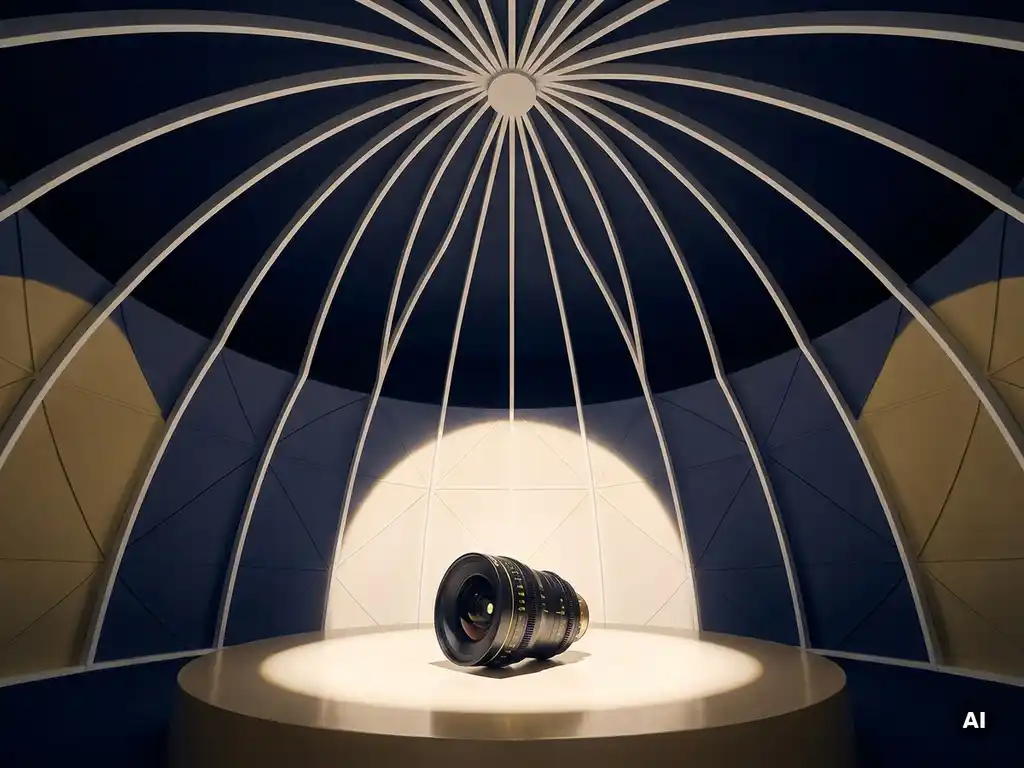
Creating content for a 360 dome experience requires producing visuals and audio that wrap completely around your audience, covering the entire interior surface of a hemispherical or spherical screen. Unlike conventional video, dome content must be rendered in specialized fisheye or equirectangular formats, designed from the inside out, and engineered to immerse viewers who can look in any direction at any moment. The sections below break down every key production question, from resolution requirements to real-time interactivity.
What makes content for a 360 dome different from regular video?
Content for a 360 dome experience is fundamentally different from regular video because it must fill a hemispherical projection surface that surrounds the audience on all sides, including above. There is no fixed frame, no safe zone to hide imperfections, and no single focal point. Every part of the image is visible simultaneously, which completely changes how stories, visuals, and motion are designed.
In a traditional film or video, the director controls exactly where the viewer looks by framing shots and cutting between them. In a dome, that control is largely surrendered. The audience can look left, right, up, or behind them at any moment. This means content must be designed to guide attention through light, sound, and movement rather than through framing alone.
The physical geometry of the dome also introduces unique distortion challenges. Straight lines near the edges of the projection surface curve, and objects that look proportional in a flat render can appear stretched or compressed when projected onto a curved surface. Content creators must account for this during the design phase, not as an afterthought in post-production.
Finally, the shared, social nature of dome viewing sets it apart. Audiences experience the content together, in the same physical space, often lying back or seated in a circle. This communal dimension means immersive dome design must consider collective emotional pacing, not just individual engagement.
What resolution and format does a 360 dome require?
Fulldome content is typically produced at resolutions ranging from 4K (4096 x 4096 pixels) to 8K (8192 x 8192 pixels), rendered in a square aspect ratio using a fisheye projection format. The fisheye frame maps the entire hemispherical image onto a circular area within that square, which the dome’s projection system then warps and blends across multiple projectors to fill the screen.
The standard frame rate for dome show production is 30 or 60 frames per second, though some high-end planetarium and immersive dome installations push to higher frame rates for smoother motion. Frame rate choices affect both the feel of the experience and the rendering time required, which is a significant production consideration for 3D animation projects.
Most professional fulldome systems use the fisheye master format as the delivery standard, but some newer installations accept equirectangular (360 x 180-degree) projections that are then reprojected by the dome’s media server. It is essential to confirm the exact technical specification of the target dome before beginning production, as different venues use different projection geometries, blending software, and server configurations. Delivering the wrong format to a dome operator can result in severe image distortion or projection failure.
How do you design visuals that work in an immersive dome space?
Designing visuals for an immersive dome space requires building compositions from the center outward, placing the most important narrative elements at or near the zenith, the top of the dome, where the audience’s gaze naturally rests. High-contrast, bold visual elements work best because the projected image must compete with ambient light scatter across a large curved surface.
Motion design demands particular care. Fast horizontal sweeps and rapid cuts that work well in cinema can cause nausea in a dome environment because the peripheral vision of every audience member is engaged simultaneously. Gradual, intentional camera movements, slow pans, gentle zooms, and deliberate transitions, preserve comfort while maintaining a sense of wonder.
Color and contrast choices also behave differently in a dome. Projected light on a curved surface loses saturation toward the edges, so content designed with rich, saturated palettes and strong value contrast tends to hold visual impact across the full projection area. Subtle gradients and low-contrast imagery can appear flat or washed out when projected at scale.
Typography and graphic elements require special treatment as well. Text placed near the edges of the fisheye frame becomes heavily distorted when projected, so any readable content must be positioned within the central sixty to seventy degrees of the dome’s field of view. Curved or radial text treatments can also be used intentionally to embrace the geometry of the space rather than fight it.
Should you use 3D animation, live-action footage, or a hybrid approach?
The right approach depends on the story you are telling and the emotional register you want to achieve. 3D animation offers complete creative control over the dome environment, making it ideal for abstract, fantastical, or data-driven content. Live-action 360 dome video delivers an immediate sense of presence and authenticity, particularly powerful for documentary, social impact, or place-based storytelling. A hybrid approach combines both strengths and is increasingly the standard for high-end dome show production.
When 3D animation leads
3D animation is the dominant format in fulldome content because it gives producers precise control over every element of the visual environment. There are no lighting rigs to manage, no weather delays, and no limits imposed by physical reality. Entire universes, microscopic environments, or abstract data landscapes can be built and rendered at the required fisheye resolution. For educational dome experiences, science centers, planetariums, and immersive learning installations, 3D animation allows complex concepts to be visualized in ways that live-action simply cannot achieve.
When live-action footage adds power
Live-action 360 footage, captured with multi-lens spherical camera rigs, brings an unmatched sense of documentary realism. When audiences see real places, real people, and real events surrounding them, the emotional weight of the content increases significantly. This format is particularly effective for NGO campaigns, cultural heritage experiences, and brand storytelling that benefits from authenticity. The production complexity is higher, stitching, color grading, and stabilizing 360 footage across multiple camera feeds is technically demanding, but the resulting sense of presence can be transformative.
How do you handle audio design for a dome environment?
Audio design for a dome environment requires a spatial, three-dimensional sound mix that matches the immersive visual field surrounding the audience. Standard stereo or even 5.1 surround mixes are insufficient because they create a fixed front-back orientation that conflicts with the dome’s 360-degree visual space. Dome audio is typically delivered in formats such as ambisonic sound or custom multi-channel speaker arrays that distribute audio across the full interior of the dome.
Ambisonics, a full-sphere surround sound format, is the most widely adopted approach for immersive dome design because it can be decoded to match virtually any speaker configuration. First-order ambisonics (FOA) is the baseline, while higher-order ambisonics (HOA) delivers greater spatial precision for larger or more acoustically complex dome spaces.
Beyond format, the creative approach to dome audio must account for the reverberant acoustic properties of the dome structure itself. Hard dome surfaces reflect sound in ways that can muddy a mix, so experienced dome audio designers often work with less low-end energy and more precise mid-range placement than they would in a conventional cinema mix. Sound design elements that move through the space, sweeping from one side of the dome to another, are particularly effective at reinforcing the sense of total immersion and guiding audience attention across the visual field.
What software and tools are used to produce fulldome content?
Fulldome content production relies on a combination of 3D rendering engines, compositing software, and specialized dome preview tools. The most widely used 3D platforms are Unreal Engine and Unity for real-time rendering, and Cinema 4D, Blender, or Autodesk Maya for pre-rendered animation. Each of these can output fisheye renders when configured with the correct camera projection settings.
For compositing and post-production, Adobe After Effects and DaVinci Resolve are standard tools. Both support fisheye and equirectangular formats, and DaVinci Resolve in particular has strong color grading capabilities suited to the wide color gamut requirements of dome projection.
Specialized dome preview tools are essential for quality control during production. Software such as Blendy Dome VJ, Fulldome Studio, or preview plugins within the major 3D engines allow creators to simulate how content will look when projected inside a dome before it ever reaches a physical venue. This step is critical, what looks correct in a flat fisheye render can reveal significant compositional or distortion problems when previewed in a simulated dome environment.
For real-time dome shows, media servers such as Dataton WATCHOUT, Disguise, or Ventuz handle the playback, warping, and edge-blending of content across multiple projectors. Understanding the media server used at the target venue is an important early step in any dome show production workflow.
How can interactivity and real-time elements be added to a dome show?
Interactivity and real-time elements can be added to a dome show through real-time rendering engines, live data feeds, audience input systems, and AI-driven content personalization. Rather than playing back pre-rendered video files, an interactive dome experience uses a game engine or media server that generates and responds to content dynamically, allowing the show to change based on audience behavior, sensor input, or live data.
Audience participation can be introduced through mobile devices, physical controllers, motion sensors, or even voice input. Visitors might collectively vote on the direction of a narrative, trigger visual events by moving through the space, or interact with AI avatars that respond to their questions in real time. This transforms the dome from a passive cinema into a participatory, living environment.
At Rooftop Immersive, our Interactive 360 Domes are designed precisely for this kind of dynamic experience, combining pre-rendered visual layers with real-time elements that can adapt to audience size, language, or learning context. Real-time rendering in Unreal Engine or Unity makes it possible to run branching narratives, live visualizations, or AI-driven storytelling within the dome without sacrificing visual quality.
For large-scale events or touring shows, real-time elements also allow content to be updated or localized without re-rendering the entire production. A dome show that incorporates live data, environmental statistics, event-specific information, or audience-generated content, becomes a genuinely unique experience at every performance.
What are the most common mistakes in 360 dome content production?
The most common mistakes in 360 dome content production fall into three categories: technical miscalibration, visual design errors, and audio mismatches. Understanding these pitfalls before production begins can save significant time, budget, and creative frustration.
Technical and format errors
Delivering content in the wrong projection format or resolution for the target dome system is the most costly mistake a production team can make. It can result in distorted imagery, projection failures, or the need to re-render entire sequences at significant expense. Always confirm the dome’s exact technical specification, resolution, projection geometry, media server, and frame rate requirements, before a single frame is rendered. Similarly, failing to preview content in a dome simulation environment before delivery frequently leads to compositional surprises that only become visible at full scale.
Visual and motion design missteps
Designing content with a flat-screen mindset is perhaps the most pervasive creative mistake in dome content creation. This includes placing important visual information near the edges of the fisheye frame where it will distort, using rapid cuts or fast horizontal motion that cause disorientation, and failing to account for the audience’s freedom to look in any direction. Content that works beautifully as a flat video can feel chaotic, nauseating, or visually incoherent inside a dome if these principles are ignored. Equally, audio that is mixed for stereo or standard surround will feel disconnected from the immersive visual environment, breaking the sense of total presence that makes a dome experience genuinely powerful.
If you are planning a dome show and want to ensure your production avoids these pitfalls from the very first concept stage, contact us, we bring both the technical precision and the creative vision to make your immersive dome experience genuinely extraordinary.
Gerelateerde artikelen
- How to make museums more interactive?
- What does XR stand for?
- What exactly is experiential marketing?
- What part of the brain is responsible for sensory memory?
- Who uses mixed reality?
- What is a 360 degree video?
- How did Gen Z break the marketing funnel?
- What are some examples of immersive experiences?
- What is an immersive installation?