
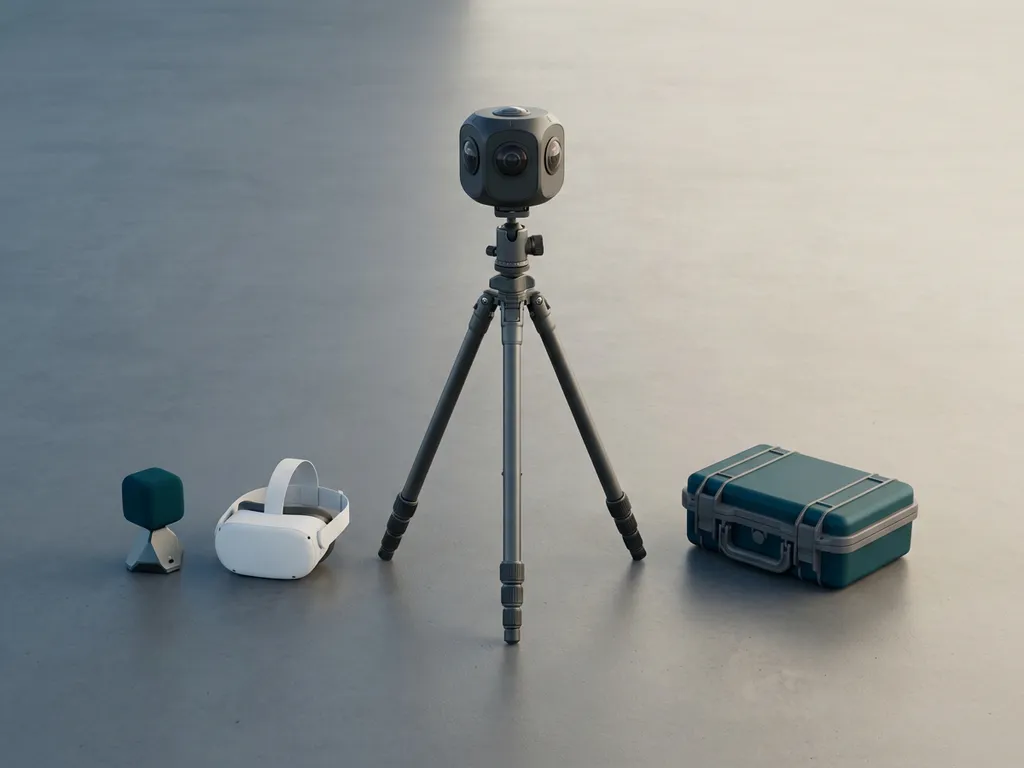
Creating 360-degree content requires a specific combination of cameras, audio gear, stabilization equipment, stitching software, and playback hardware. The exact setup depends on whether you are producing consumer-grade content or broadcast-quality immersive experiences. This article walks through each layer of the production stack, from capture to delivery.
What types of cameras are used for 360-degree video?
360-degree video is captured using cameras equipped with multiple wide-angle or fisheye lenses arranged to cover every direction simultaneously. The footage from each lens is then digitally joined into a single spherical image. Camera types range from compact single-unit devices to multi-camera rigs assembled from individual cinema-grade sensors.
At the consumer end, cameras like the Insta360 X series or GoPro Max use two back-to-back fisheye lenses to capture a full sphere in one compact body. These are lightweight, affordable, and capable of producing strong results for social media, virtual tours, and documentary-style immersive content.
Professional productions typically use custom rigs built from multiple high-resolution cameras, often six, eight, or more, mounted on a specially designed frame. Each camera captures a segment of the sphere, and the footage is stitched together in post-production. Rigs based on RED, Sony, or Canon cinema cameras are common when the final output demands the highest possible resolution, dynamic range, and color fidelity, such as in VR cinema, dome projections, or immersive installations.
A growing category sits between these two extremes: prosumer cameras like the Insta360 Pro 2 or Kandao Obsidian series offer higher resolution and better low-light performance than consumer devices while remaining more manageable than full cinema rigs. These are frequently used for corporate immersive experiences, museum installations, and educational VR content where quality matters but full film-crew logistics are not feasible.
What’s the difference between consumer and professional 360 rigs?
The core difference between consumer and professional 360 rigs lies in image quality, control, and workflow complexity. Consumer rigs prioritize convenience and speed, while professional rigs prioritize image fidelity, flexibility, and the ability to meet broadcast or large-format display standards.
Consumer 360 rigs
Consumer 360 cameras are self-contained units that handle stitching automatically, often in-camera or through a companion app. They are designed to be used without specialist knowledge, making them accessible for real estate tours, travel content, and social media activations. The trade-off is limited manual control over exposure, focus, and color, along with lower resolution that can appear soft when viewed on large screens or high-resolution headsets.
Professional 360 rigs
Professional rigs are modular systems built from individual cinema cameras, each recording independently. This gives the operator full control over every capture parameter, but it also means stitching must be done manually in post-production using dedicated software. The resulting footage is typically captured in RAW or high-bitrate formats, offering significantly more latitude in color grading and detail recovery. For immersive experiences projected across 360-degree domes, VR cinema environments, or premium headsets, this level of quality is not optional; it is a baseline requirement.
The decision between the two is ultimately driven by the intended output format and the scale of the experience. A brand activation viewed on a smartphone headset has different demands than an immersive installation shown to thousands of visitors in a dedicated dome.
What audio equipment is needed for 360-degree content?
360-degree content requires spatial audio, also called ambisonics, which captures sound from all directions simultaneously and allows the audio to respond to the viewer’s head orientation during playback. A standard stereo microphone is not sufficient for true immersive audio. Dedicated ambisonic microphones, such as the Sennheiser AMBEO or Zoom H3-VR, are the standard starting point.
Ambisonic microphones use a cluster of capsules arranged in a specific geometric pattern to capture the full sound field. The resulting audio is recorded in a raw format called A-format and then decoded in post-production into B-format, which is the standard used by most VR platforms and spatial audio engines.
For more complex productions, a multi-microphone setup may be used, combining ambisonic capture with directional boom microphones or lavalier mics for dialogue. These additional tracks are then mixed and spatially positioned in post-production using tools like Reaper with the IEM plugin suite, Dolby Atmos, or Facebook’s Spatial Workstation.
Audio is often underestimated in immersive production, yet it is one of the most powerful drivers of presence. When sound moves naturally with the viewer’s perspective, the sense of being inside the environment deepens considerably. For experiences designed to build empathy or emotional connection, spatial audio is not an accessory; it is a core design element.
What software is required to stitch and edit 360 footage?
360-degree footage requires two distinct software stages: stitching, which joins the individual camera feeds into a single spherical image, and editing, which assembles, grades, and prepares the final output. These are separate workflows that often require separate tools.
Stitching software
For consumer cameras, stitching is handled automatically by the manufacturer’s own software, such as Insta360 Studio or GoPro Player. For professional multi-camera rigs, dedicated stitching applications are required. Mistika VR and Autopano Video Pro have been widely used in the industry, though the landscape continues to evolve. These tools use optical flow algorithms to align overlapping frames from adjacent cameras, blend the seams, and output an equirectangular video file, the standard projection format for 360 content.
Editing and post-production software
Once stitched, equirectangular footage can be edited in standard non-linear editors like Adobe Premiere Pro or DaVinci Resolve, both of which have native support for 360 video workflows including VR headset preview during editing. Color grading, audio mixing, motion graphics, and title overlays are all handled at this stage. For interactive or branching VR experiences, additional platforms such as Unity or Unreal Engine are used to build the interactive logic around the video content, enabling viewers to make choices, trigger events, or explore the environment actively.
What stabilization and support gear does 360 filming require?
Stabilization for 360-degree filming is more complex than for conventional video because standard gimbals, tripods, and rigs often appear in the frame. Equipment must either be hidden from the camera’s field of view, removed digitally in post-production, or designed specifically for 360 capture.
For static shots, a dedicated 360 tripod with a monopod or invisible selfie stick is the standard solution. These supports are designed to be narrow enough to be masked out during stitching or cloned out in post. Many ambisonic microphone setups are also mounted on the same pole to keep the audio source co-located with the visual center.
For moving shots, electronic stabilization built into the camera is often the first line of defense. Consumer cameras increasingly offer excellent in-camera horizon leveling and gyroscopic stabilization. Professional rigs may use custom-built motorized gimbals or be mounted on cable systems, drones, or vehicle mounts designed specifically for spherical capture. Drone-mounted 360 rigs are particularly effective for establishing shots and environmental context in outdoor immersive experiences.
Post-production stabilization tools, such as the Gyroflow software, can also smooth footage by reading gyroscope data recorded by the camera during capture, reducing the need for physical stabilization hardware in some scenarios.
What hardware is needed to play back and review 360 content?
Reviewing and playing back 360-degree content requires hardware that can render the spherical format correctly and, ideally, allow the viewer to look around freely. The appropriate hardware depends on the intended delivery format and the stage of production review.
During production, a standard monitor combined with editing software that supports equirectangular preview is sufficient for basic review. However, to properly evaluate the immersive quality of the experience, headset preview is essential. Most professional 360 editors connect a VR headset directly to the editing workstation using tools like Premiere Pro’s VR Comp Editor or a live output plugin for DaVinci Resolve.
For final delivery and audience playback, the hardware options include standalone VR headsets such as the Meta Quest series, tethered PC-based headsets for higher fidelity, and mobile-based cardboard or plastic viewers for accessible low-cost distribution. For large-scale installations, dedicated media servers drive multi-channel projection systems or synchronize multiple headsets simultaneously, which is the approach used for VR cinema and dome experiences designed for group audiences.
Reviewing content on the same hardware your audience will use is a non-negotiable step in immersive production. Compression artifacts, stitching errors, and audio positioning issues that are invisible on a flat monitor become immediately apparent inside a headset.
How does the intended output format affect equipment choices?
The intended output format is the single most important factor in determining which equipment is appropriate for a 360-degree production. A piece of content designed for social media viewing on a smartphone requires a fundamentally different capture and delivery pipeline than an experience built for a 4K VR headset, a multi-projector dome, or a 4D cinema installation.
For social and mobile distribution, consumer-grade cameras with in-camera stabilization and automatic stitching are often the most practical choice. The platform’s compression and the small screen size mean that the marginal quality gain from a professional rig does not justify the added complexity and cost.
For standalone VR headsets at the current generation of resolution, content typically needs to be captured at a minimum of 5.7K to 8K to look sharp inside the headset after equirectangular projection reduces effective resolution per eye. This pushes the requirement toward prosumer or professional camera systems.
For dome projections, immersive installations, and 4D cinema environments, the resolution and dynamic range demands are highest. These formats often require custom multi-camera rigs, RAW capture workflows, and significant post-production investment. The physical scale of the display means every imperfection in the source footage is amplified. At this level, the equipment choices, from the camera sensors to the stitching pipeline to the media server hardware, are all interconnected decisions that must be made together from the start of the project.
Understanding how the output format shapes every upstream decision is one of the reasons that experienced immersive studios approach equipment selection as a production design question rather than a shopping list. If you are planning a 360-degree experience and want guidance on which production approach is right for your goals, we would be glad to help. Feel free to contact us to start the conversation.
Gerelateerde artikelen
- What is a full dome planetarium?
- What is the difference between brand activation and brand experience?
- What are some examples of interactive museum exhibits?
- How big is the immersive experience market?
- What is an immersive installation?
- How do you distribute 360-degree content?
- How long does AR content production take?
- Do 3D artists get paid well?
- How do you create educational immersive content?