
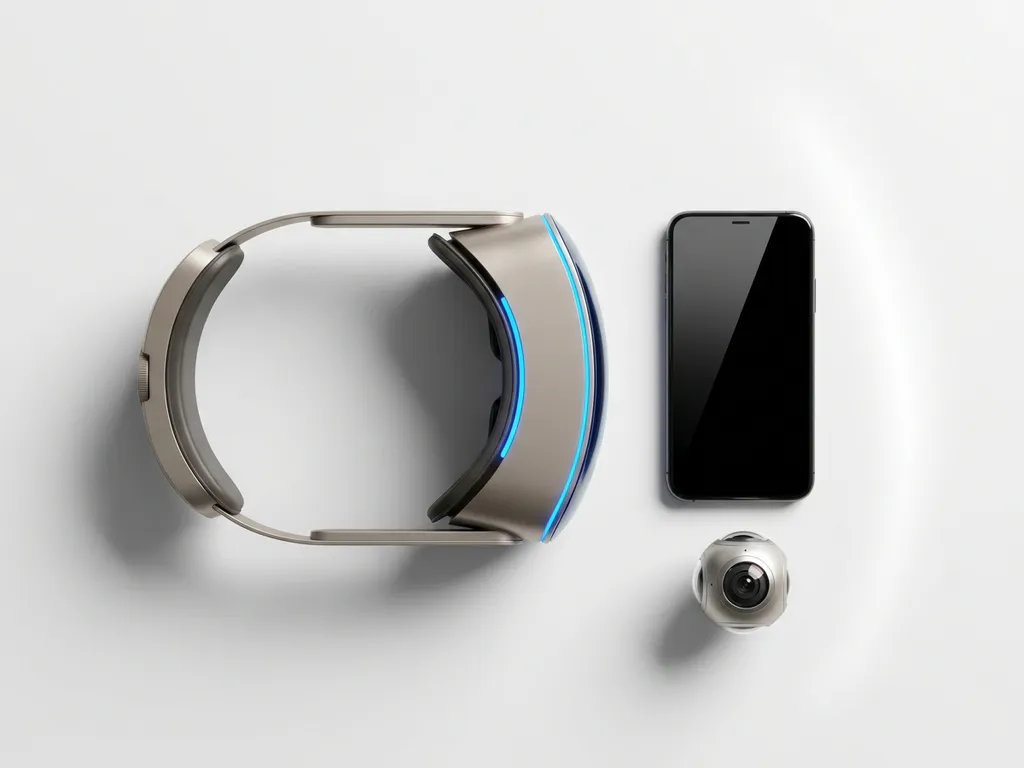
AR content production requires a layered set of equipment spanning hardware, software, cameras, and computing infrastructure. The exact toolkit depends on whether you are building for mobile devices, dedicated AR headsets, or large-scale location-based installations. This article walks through every major equipment category so you can plan a production setup that matches your project scope.
What types of hardware do AR producers actually need?
AR producers need three core categories of hardware: capture devices for creating assets, development machines for building and rendering experiences, and output devices for testing and deploying the final result. The specific combination varies by project type, but most professional AR productions draw from all three categories at once.
On the capture side, producers use DSLR and mirrorless cameras, depth-sensing cameras, and structured-light or LiDAR scanners to generate the raw visual material that populates an AR scene. These tools feed into a pipeline that transforms real-world objects, people, and spaces into digital assets.
Development hardware centers on a powerful workstation or laptop capable of running demanding 3D software and real-time rendering engines. This machine handles everything from asset processing to scene composition and preview rendering.
Output and testing hardware includes the devices your end audience will actually use: smartphones, tablets, and AR headsets like the Apple Vision Pro or Microsoft HoloLens. Producers need access to representative devices early in the process to catch performance issues before they reach the field.
- Capture devices: cameras, depth sensors, LiDAR scanners, drones
- Development machines: high-spec workstations or laptops
- Testing and output devices: smartphones, tablets, AR headsets
- Supporting peripherals: calibration targets, tracking markers, lighting rigs
What software and development platforms are used in AR production?
The primary development platforms for AR production are Unity and Unreal Engine, both of which support AR SDKs and real-time rendering pipelines. Alongside these engines, producers use AR-specific frameworks such as ARKit for Apple devices, ARCore for Android, and WebAR platforms for browser-based experiences. Asset creation relies on tools like Blender, Cinema 4D, Maya, and Adobe Substance for 3D modeling and texturing.
Unity is particularly dominant in AR production because of its broad device support, active developer community, and native integration with AR Foundation, which abstracts ARKit and ARCore into a single cross-platform workflow. Unreal Engine is increasingly used for photorealistic AR experiences where visual fidelity is the priority.
For volumetric capture and photogrammetry, dedicated software such as RealityCapture, Agisoft Metashape, and Depthkit converts raw scan data into usable 3D assets. These tools sit between the capture phase and the development environment, processing raw footage or scan data into optimized meshes and textures.
Spatial audio tools, compositing software, and version control systems round out the software stack. Professional AR studios also integrate project management and real-time collaboration platforms to coordinate across disciplines, particularly when a single project involves 3D artists, developers, sound designers, and UX specialists working in parallel.
What cameras and scanning tools are used to create AR assets?
AR asset creation relies on photogrammetry cameras, LiDAR scanners, depth cameras, and volumetric capture rigs, depending on what is being digitized. For static objects and environments, photogrammetry using a DSLR or mirrorless camera with a wide-angle lens is the most accessible approach. For detailed spatial mapping or human subjects, structured-light scanners and multi-camera volumetric rigs deliver higher accuracy.
Photogrammetry and object scanning
Photogrammetry works by capturing dozens or hundreds of overlapping photographs of a subject from multiple angles, then using software to reconstruct a 3D mesh. A full-frame mirrorless camera with a sharp prime lens produces clean, high-resolution source material. Turntable rigs automate the rotation of smaller objects, ensuring consistent coverage and lighting across every frame.
For architectural spaces and outdoor environments, producers often use handheld LiDAR scanners or drone-mounted sensors to capture precise point clouds. The iPhone Pro and iPad Pro also carry built-in LiDAR sensors that are increasingly capable for quick spatial scans, though professional-grade scanners from manufacturers like Leica or FARO produce significantly denser and more accurate data.
Volumetric capture for human subjects
Capturing a real person as a 3D AR asset requires volumetric video technology. This involves surrounding the subject with an array of synchronized cameras, often between eight and one hundred, depending on the required fidelity, and processing the footage into a three-dimensional video mesh. The result is a holographic representation that can be placed into an AR scene and viewed from any angle. This technique powers what we build as AR Hologram Twins, where real people become interactive virtual hosts or presenters within a physical space.
Do you need a high-end PC or GPU for AR development?
Yes, AR development benefits significantly from a high-end workstation with a dedicated GPU. Real-time rendering engines, photogrammetry processing, and volumetric video reconstruction are all computationally intensive tasks. A mid-range consumer laptop will struggle with large scene files, complex shaders, and high-polygon asset processing. Most professional AR studios build around workstations with a recent-generation NVIDIA or AMD GPU with at least 12 GB of VRAM.
The GPU handles real-time rendering previews and shader compilation within the development environment. The CPU matters most during asset processing tasks like photogrammetry reconstruction, video encoding, and physics simulation. For studios doing volumetric capture, dedicated processing servers or cloud rendering pipelines often supplement local workstations to handle the sheer volume of multi-camera footage.
RAM is another critical variable. Complex AR scenes with multiple high-resolution texture sets, audio assets, and interactive logic can consume 32 to 64 GB of RAM during active development. Fast NVMe storage also reduces iteration time when loading and saving large project files repeatedly throughout the day.
That said, the actual deployment target matters. If the final experience runs on a smartphone, the development machine only needs to be powerful enough to build and preview the project efficiently. The experience itself must be optimized to run within the performance constraints of the target device, which means polygon budgets, texture compression, and draw call limits become just as important as the production hardware.
What’s the difference between AR equipment for mobile versus headset experiences?
Mobile AR experiences are designed for smartphones and tablets, which means the entire pipeline prioritizes lightweight assets, efficient rendering, and touch-based interaction. Headset AR experiences, built for devices like the Apple Vision Pro or HoloLens, demand higher-fidelity assets, spatial interaction design, and precise real-world anchoring. The development hardware is broadly similar, but the optimization targets, testing devices, and interaction paradigms are fundamentally different.
For mobile AR, the camera on the user’s device drives the experience. The AR SDK uses this camera feed to detect surfaces, track image targets, or identify geographic coordinates. Producers need a range of real iOS and Android devices to test across different hardware generations, camera qualities, and processing speeds. Emulators are useful for early development but cannot replace physical device testing for AR.
Headset AR adds a spatial computing layer. The device maps the room in real time, understands depth, and allows virtual objects to interact with physical surfaces in a convincing way. Developing for this environment requires the headset itself as a constant testing tool, along with a development machine capable of running the platform’s SDK and simulator. Interaction design shifts from tapping a screen to using hand gestures, eye tracking, or voice commands, which requires additional prototyping and user testing cycles.
The content creation pipeline also diverges. Mobile AR typically uses compressed textures, baked lighting, and simplified meshes to stay within the performance envelope of a phone. Headset AR can support more detailed geometry and dynamic lighting, but still requires careful optimization to maintain the frame rates necessary for comfortable, stable viewing.
How much does AR production equipment cost?
AR production equipment costs vary widely based on the scale of the project, the target platform, and the level of asset fidelity required. Rather than a fixed number, the total investment reflects a combination of factors that stack differently for every production context.
On the hardware side, the main cost drivers are the development workstation, the scanning equipment, and the testing devices. A professional workstation with a capable GPU represents a meaningful upfront investment, but it is a long-term studio asset reused across many projects. Scanning equipment ranges from consumer-grade tools built into modern smartphones to professional LiDAR rigs used for architectural-scale capture, and the gap in both cost and output quality between these two ends is significant.
Software licensing adds recurring costs. Game engines like Unity and Unreal Engine have free tiers for studios below certain revenue thresholds, but professional AR SDKs, photogrammetry software, and asset creation tools often carry annual subscription fees. These compound across a full production pipeline.
For headset-based experiences, the headsets themselves are a notable cost, particularly for newer spatial computing hardware. Testing a project properly across multiple device types requires owning or accessing those devices, which is an ongoing studio overhead rather than a per-project expense.
The nature of the AR content also shapes costs. A simple image-tracking experience for a product launch requires far less infrastructure than a multi-user, location-based AR installation for a museum or public space. Volumetric capture, custom spatial audio, and AI-driven personalization each introduce additional tooling requirements that affect the overall equipment picture.
What equipment is needed to test and deploy AR experiences on location?
On-location AR deployment requires stable network infrastructure, a range of end-user devices, physical anchoring tools, and monitoring equipment to ensure the experience runs reliably in the actual environment. Testing in the studio is never a full substitute for testing on-site, because lighting conditions, spatial geometry, and network performance all affect how an AR experience behaves in the real world.
Network reliability is critical for experiences that load assets remotely or support multiple simultaneous users. Producers often bring portable Wi-Fi routers or cellular bonding devices to guarantee bandwidth at venues where the existing infrastructure is unreliable. For outdoor or geospatial AR, GPS signal quality and interference from nearby structures must be assessed and accounted for in the deployment plan.
Physical anchoring tools vary by experience type. Image-tracking AR requires printed markers or reference images placed precisely in the space. Surface-based AR needs clean, well-lit floor or wall areas for the device camera to detect reliably. Geospatial AR, which places content at specific geographic coordinates without physical markers, requires calibration passes on-site to verify placement accuracy.
Device management is another practical consideration. For experiences where the producer supplies the hardware, a mobile device management solution allows remote configuration, content updates, and monitoring across a fleet of devices. Charging stations, protective cases, and spare units are standard on-location kit for any production running across multiple days or with high visitor throughput.
Finally, having a real-time monitoring setup allows the production team to track session data, catch errors, and respond to technical issues without interrupting the visitor experience. This might be as simple as a dedicated laptop running analytics dashboards, or as complex as a custom operations interface built specifically for the installation.
Building a reliable AR production setup is as much about planning as it is about equipment. If you are scoping a project and want to understand what the right technical approach looks like for your specific context, we are happy to work through it with you. Reach out via contact and let us know what you are trying to create.
Gerelateerde artikelen
- What services does an immersive-content agency provide?
- Can you give me some examples of immersive virtual reality?
- What is 360-degree dome projection?
- What is an example of immersive training?
- How to create an immersive exhibition?
- What are dome installations?
- Why is my brand campaign not creating buzz?
- How do you measure success in experiential marketing?
- What technology is used in immersive installations?